
There have been a couple of questions about Z4 wiring information / diagrams recently so I thought I'd post about this site, very useful...
WDS BMW Wiring Diagram System - Model Z4 E85 E86
Took me a little while to get used to, but may just be me, so here's how it works, looking at the Occupancy Sensor...
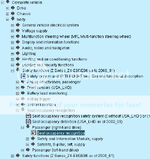
Navigate through the main menu:
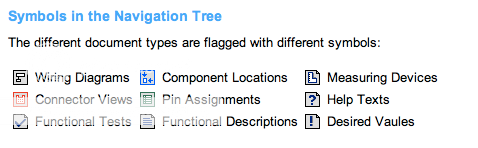
What the symbols mean:
Here's a section of the diagram:
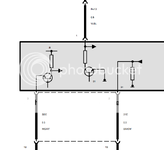
Here's what this means, diagrams:
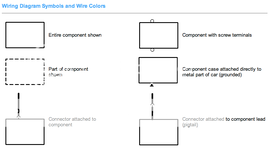
Colour codes and labelling:
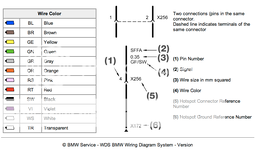
I find having the above open in a separate tab makes life a lot easier.
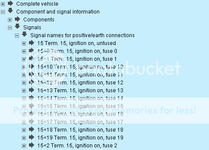
To see what information is being carried along each cable you need to navigate to them individually:
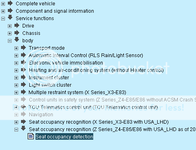
There is useful information on how things work and how to test them in Service Functions:
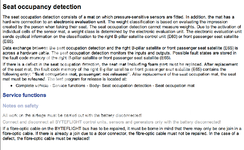
As an example, information provided:
A final thing to note, the zoom function doesn't seem to work so I use the browser zoom functions, eg, Mac, cmd+ (zoom in) cmd- (zoom out) / Win IE, press CTRL and scroll to zoom in and out... not sure of any others.
UPDATE: If you have an issue viewing some of the component diagrams you will need the Adobe SVG Plugin installed - mostly for components.
Browser requirements:
Internet Explorer 5.5 or higher (I have used in other browsers (Mac Safari / Win Chrome) with loss of zoom functionality)
JavaScript and CSS enabled
Java enabled
When using SUN Java Environment: Version 1.4.1 or higher
Scripting of Java Applets enabled
Adobe® SVG Plugin 3.0 or higher installed
(see installation)
WDS BMW Wiring Diagram System - Model Z4 E85 E86
Took me a little while to get used to, but may just be me, so here's how it works, looking at the Occupancy Sensor...
Navigate through the main menu:
What the symbols mean:
Here's a section of the diagram:
Here's what this means, diagrams:
Colour codes and labelling:
I find having the above open in a separate tab makes life a lot easier.
To see what information is being carried along each cable you need to navigate to them individually:
There is useful information on how things work and how to test them in Service Functions:
As an example, information provided:
A final thing to note, the zoom function doesn't seem to work so I use the browser zoom functions, eg, Mac, cmd+ (zoom in) cmd- (zoom out) / Win IE, press CTRL and scroll to zoom in and out... not sure of any others.
UPDATE: If you have an issue viewing some of the component diagrams you will need the Adobe SVG Plugin installed - mostly for components.
Browser requirements:
Internet Explorer 5.5 or higher (I have used in other browsers (Mac Safari / Win Chrome) with loss of zoom functionality)
JavaScript and CSS enabled
Java enabled
When using SUN Java Environment: Version 1.4.1 or higher
Scripting of Java Applets enabled
Adobe® SVG Plugin 3.0 or higher installed
(see installation)